blog
mooringDesignSimulator v2: a tool for mooring design and simulation
Detailed introduction to mooringDesignSimulator v2, its use cases, and its current software structure.
mooringDesignSimulator v2 is a desktop application focused on the design and static simulation of oceanographic moorings.
The goal is not only to draw a mooring line. The software also helps organize components, prepare a project, run a simulation, review the results, and produce a usable PDF report.
Why revisit this tool now
Several tools developed over the years deserved to be updated so they remain usable, documented, and easier to transmit. mooringDesignSimulator v2 is one of them.
Recent work has strengthened the application around a more durable base:
- a clearer application entry point
- real
SQLiteproject persistence - a more readable graphical design workspace
- a more explicit simulation pipeline
- better structured PDF reporting
- a test suite that covers sensitive areas
What the application can do
The software currently allows users to:
- load a component library
- build a mooring graphically
- edit segment properties
- save and reload a project
- run a static simulation
- display result tables and charts
- generate a PDF report
Main interface
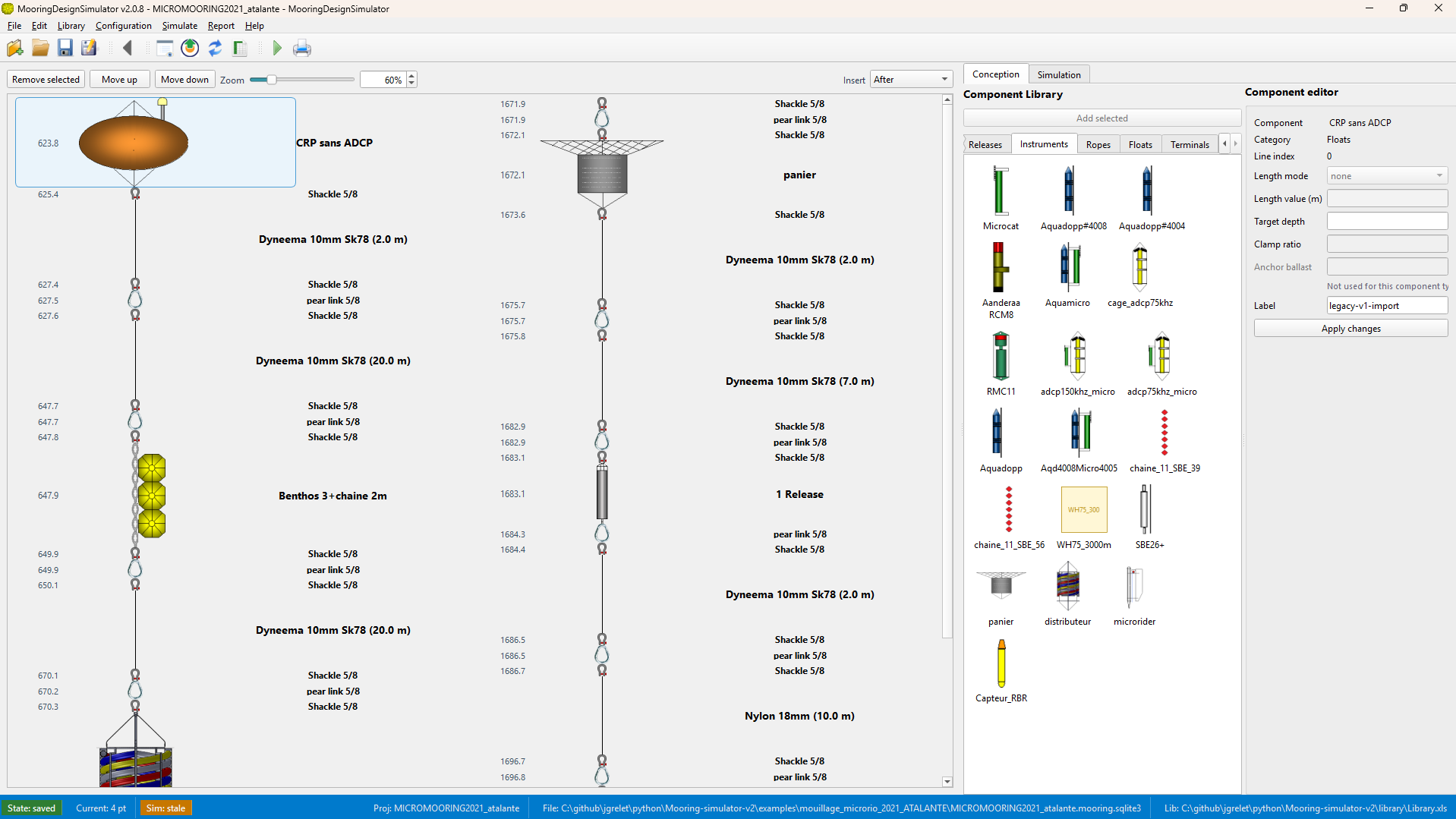
A clearer architecture
The repository documentation describes an architecture organized around four main subsystems:
- a
PySide6graphical interface SQLite-based project persistence- component library management
- a simulation pipeline made of an adapter, a preprocessor, a solver, and an output layer
That separation matters because it makes the tool easier to maintain and evolve.
Data formats and workflow
The main working format is a SQLite database, usually stored as *.mooring.sqlite3. The application can also import and export JSON snapshots, but the core workflow now relies on a stronger and more structured persistence layer.
On the simulation side, the project follows a straightforward pipeline:
- read the project
- adapt it into simulation models
- preprocess the data
- run the static solver
- return results to the UI and the PDF report
Public documentation
Public documentation is now progressively republished on this website:
Who it is for
This software is relevant for people who work on the design, verification, or documentation of oceanographic moorings and need a visual, reproducible, and maintainable tool.
Further reading
- project page: mooringDesignSimulator v2
- shared application archives: download area
- historical site: UAR191 IMAGO